- Bed
- 1 King
- 2 Kings
- 2 Queens
- 2 Doubles
- Price per Night
- Below $100
- $100 to $200
- $200 to $300
- $300 or more
- Smoking
- Smoking
- Non-Smoking
- Accessibility
- Hearing Impaired
- Roll-In Shower
- Bathtub with Bars
- Room Size
- Small
- Medium
- Large
Already have a reservation? Manage Reservation
Peppermill Sportsbook Mobile Betting App
The Peppermill Sportsbook app lets you place bets from your phone anywhere inside Nevada state lines, no need to be at the counter, and no need to be a Nevada resident. Bet straights, parlays and teasers on football, basketball, baseball and most other major sports, and keep earning comps and Passport Rewards tier points on every mobile wager. Must be 21 or older.
How to get started
- Open your account in person. Visit the Sportsbook at Peppermill Reno or at Western Village in Sparks. Bring a valid photo ID and your Social Security card, or complete a Form W-9 on site. Your opening deposit must be at least $40.
- Download the app using the iPhone or Android links below, then sign in with the account details you were given.
- Place your bet. Turn on location services, confirm you're inside Nevada, and you're live.
Rewards on mobile wagers
Same-day mobile wagers earn free drink tickets, printable at any kiosk at the Peppermill. Mobile bets also earn comps and tier points in Passport Rewards, exactly like wagers placed at the counter.
For questions, please call 775.689.7196
Terms and rules
- Peppermill Mobile Sportsbook App. Terms & Conditions
- Peppermill Sportsbook House Pays
- Peppermill Sportsbook House Rules
Unsupported Operating Systems
You are currently viewing this page on a device that cannot install the Peppermill Sportsbook Mobile Betting Application.
Click Here to send an email with the link to download the application on your Android or iOS device. You can then open the link on your iPhone/iPad or Android device to download the application.
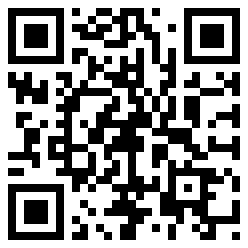
For your convenience, you can scan this QR Code with your Android device or iPhone/iPad to quickly get to this page on your device.
iPhone/iPad Download
Download the Peppermill Sportsbook app from the Apple App Store, then open it and sign in with the account details you received at the Sportsbook counter.
Click here to download application on the Apple Application Store.
Requires iOS 11.0 or later. Location services must be turned on for the app under Settings/Privacy & Security/Location Services/Peppermill Sportsbook.
Android Download
Gaming applications are not available in the Google Play store. To download the application, you will need to do so from our website.
1. You can download the application on this page, just agree to the terms and conditions below to start your download:
2. Once the application has downloaded, find the download in your notifications (found by pulling the bar at the top of the screen down).
3. You may be prompted to change your security settings as you need to allow applications to be installed from "Unknown Sources." If prompted, you will see a button to update the setting, if not:
3. a) Open your options menu and select settings, this is done by clicking the options button on the lower left hand side of the device (see screenshot).
3. b) Open the Security menu located in your settings menu (see screenshot).
3. c) Find the "Unknown Sources" option and make sure it's checked (see screenshot).
3. d) We recommend that you un-check the "Unknown Sources" option once you have installed the application.
Frequently Asked Questions
Where can I sign up for the Peppermill Sportsbook app?
You must sign up in person at the Sportsbook at Peppermill Reno or Western Village in Sparks. Bring a valid photo ID and your Social Security card, or complete a Form W-9 on site. Accounts cannot be opened online.
Do I have to be a Nevada resident?
No. You only need to be physically located within Nevada state lines when you place a wager, and be 21 or older.
What is the minimum deposit and minimum bet?
The minimum opening deposit is $40. Subsequent deposits have a $20 minimum. The minimum wager is $5. All wagers are final, no cancellations.
How do I deposit and withdraw money?
Deposits and withdrawals are handled in person at the Sportsbook counter at Peppermill Reno or Western Village in Sparks. See Sportsbook hours.
What sports and bet types can I wager on?
Straight bets, parlays and teasers on football, basketball, baseball and most other major sports. Some wager types are offered only in person at the counter. See House Pays for current odds and payouts.
What devices are supported?
iPhone and iPad running iOS 11.0 or later, and Android phones and tablets running Android 8.0 or later. You'll need an active cellular data plan and location services turned on.
What hours can I bet on the app?
Place wagers 24 hours a day, 7 days a week, from anywhere in Nevada.
How do I look up my account history?
On Android, open the app menu and select Account History. On iPhone, tap Actions, then Account History.
Who do I call for help?
Call Peppermill Sportsbook customer support at 775-689-7196.
Troubleshooting
The app can't verify my location (Error 105 or 109)
Turn GPS location services on for both your device and the Peppermill Sportsbook app. If the error continues, you may be in an area with limited cell coverage. On iPhone, check Settings/Privacy & Security/Location Services and confirm Peppermill Sportsbook is enabled.
Locked account, invalid password, or no funds (Error 102)
Call customer support at 775-689-7196 for locked accounts and password resets. If you see "No Funds In Account," deposit at the Sportsbook counter before you can wager.
Invalid version (Error 108)
Update to the latest version of the app and make sure your phone is running a current operating system.
The Android app won't download
Check that your device is set to allow installs from unknown sources, then try the download again.